How to Be Productive When Working Remotely: Strategies for Sustainable Performance
Remote work has shifted from a temporary adjustment to a long-term operating model, pushing professionals and organizations to rethink how performance is sustained outside traditional offices. The question of how to be productive working remotely is not answered by longer hours or constant availability; it is solved by building systems that protect attention, energy, and accountability.
Findings from cognitive psychology and organizational behavior show that productivity depends heavily on workday structure, goal clarity, and the ability to manage digital interruptions. In distributed settings, the lack of physical cues can weaken coordination and blur boundaries, which makes intentional routines and measurable outcomes especially important.
The strategies below focus on prioritization, communication norms, and environment design. By aligning daily habits with evidence-based principles—such as deep work, recovery cycles, and asynchronous collaboration—you can maintain focus, reduce fatigue, and deliver consistent results while working remotely.
Designing a Workday System for How to Be Productive Working Remotely
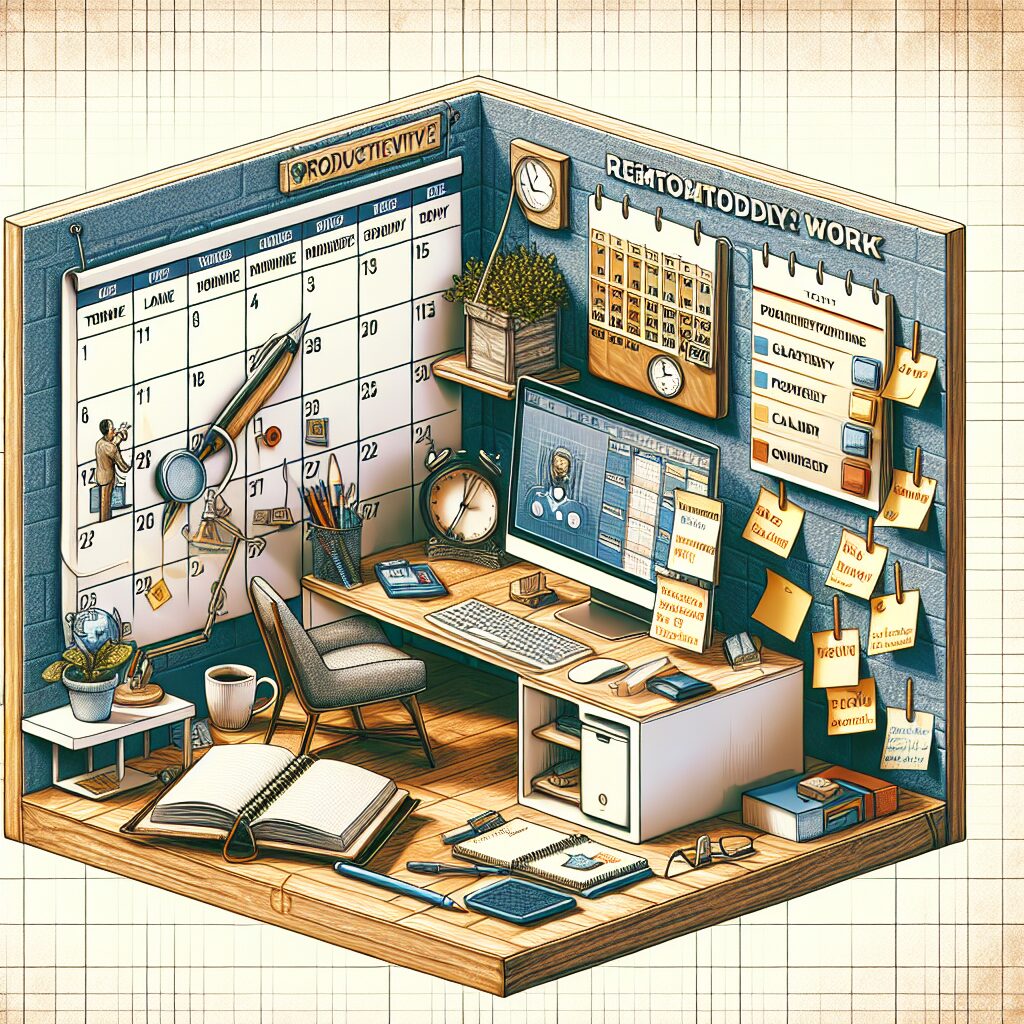
Feeling “busy” all day can still leave you unsure of what actually moved forward. In remote work, progress depends less on raw effort and more on how decisions, time, and attention are structured. A reliable workday system converts ambiguity into predictable output without relying on adrenaline or last-minute urgency.
Rather than scripting every minute, aim for repeatable defaults for planning, execution, and review. The practices below translate priorities into action while leaving room for the inevitable: messages, meetings, and shifting requests.
Set clear goals, outcomes, and success metrics
Before calendars and task lists can help, clarity has to lead. Defining outcomes (what “done” looks like) and success metrics (how you’ll know it worked) prevents remote work from drifting into perpetual activity.
Turn vague intentions into observable results. Instead of “work on the client deck,” specify an outcome such as “Send v2 to stakeholders with pricing table and 3-slide narrative”. That shift reduces decision fatigue and makes delegation, review, and handoffs far easier—especially when collaboration is asynchronous.
Keep metrics simple but explicit. For knowledge work, a useful trio is often: quality (meets spec), timeliness (delivered by X), and impact (enables a decision or unlocks a next step). When possible, tie these to team-level OKRs or KPIs; otherwise, define a local metric that can be verified in writing.
- Outcome statement: “By Friday 3pm, publish onboarding guide draft (Sections 1–4) in the wiki.”
- Success metric: “At least 2 teammates can complete setup in under 30 minutes using the guide.”
- Acceptance criteria: “Includes screenshots, troubleshooting, and version notes.”
“What gets measured gets managed.” — Peter Drucker
Build a realistic schedule with time blocks and buffers
Once outcomes are defined for your remote teams, protecting time to produce them becomes the next constraint. Using time blocks and buffers helps ensure interruptions don’t consume the entire day.
Time blocking works best when it reflects energy and constraints rather than wishful thinking. Many remote roles experience “meeting gravity” that expands unpredictably, so treat your calendar as a capacity plan. Reserve 1–2 blocks for focused creation, cluster meetings into windows, and add buffers for overrun and context recovery.
Consider buffers a form of risk management, not indulgence. Research summarized by the American Psychological Association links chronic stress to reduced cognitive performance, often showing up as slower task completion and more errors. Without slack, small surprises become crises and the day drifts into reactive work.
- Morning buffer (15–30 min): triage messages, confirm top 3 outcomes, set “do not disturb.”
- Deep work block (60–120 min): one deliverable, one toolset, notifications off.
- Meeting window (60–180 min): batch calls; end with written decisions and owners.
- Recovery buffer (10–20 min): notes, file updates, short walk—prevents spillover.
Prioritize deep work and manage task switching
Even a solid plan can collapse if attention is repeatedly pulled off course. Protecting deep work and reducing task-switching costs relies on what cognitive psychology shows about attention and working memory.
Switching contexts is more than a minor annoyance; it carries a measurable penalty. Research summarized by the American Psychological Association notes that frequent multitasking reduces efficiency and increases mistakes because the brain must re-orient on each shift. In remote roles, the biggest threat is often the cumulative effect of small pings that repeatedly reset concentration.
Make focus socially legible rather than disappearing. A simple focus contract—“Heads-down on report draft until 11:30; call if urgent”—sets expectations while protecting your block. Pair it with practical friction: close email, mute chat, and keep only essential tabs open. If responsiveness is part of the job, define what “urgent” means and route it through a single channel.
- Single-threading rule: one project per block; park new requests in an “intake” list.
- Switching threshold: if a task takes under 2 minutes, do it; otherwise schedule it.
- Batch processing: messages at set times (e.g., 11:30 and 16:30) to limit churn.
- End-of-block closure: write the next step in one sentence to reduce restart time.
When metrics, realistic blocks, and disciplined attention reinforce one another, how to be productive working remotely becomes less about constant effort and more about a system that performs reliably—even on imperfect days.
Creating a Focus-First Home Office Setup
Strong routines still struggle when the environment quietly pulls attention in the wrong direction. After you clarify outcomes and protect deep work blocks, the next limiter is often invisible: the workspace shaping your focus. A focus-first setup reduces friction for high-value work and makes distractions slightly harder to access, compounding benefits over time.
Your workspace acts like a “silent manager,” reinforcing routines through cues and comfort—or nudging you toward checking, scrolling, and reacting. The practices below make your home base a practical asset for how to be productive working remotely without relying on willpower alone.
Optimize ergonomics, lighting, and comfort for sustained output
In knowledge work, comfort functions as part of the performance system rather than a luxury. Improving ergonomics, lighting, and small physical details reduces fatigue and supports steady cognitive output throughout the day.
Begin with posture and reach. Discomfort quietly competes for attention and taxes working memory, especially during long writing, analysis, or coding sessions. A simple baseline is: feet supported, hips slightly above knees, elbows near 90 degrees, and the top third of the monitor near eye level. If furniture can’t be changed, low-cost adaptations (laptop stand + external keyboard, firm cushion, footrest) can achieve the same geometry.
Lighting matters because it influences alertness and strain. The CDC/NIOSH ergonomics guidance emphasizes fitting the workstation to the person; in practice, that includes reducing glare, avoiding bright backlighting behind a screen, and using a warmer desk lamp later in the day. When possible, position the monitor perpendicular to a window to minimize reflections and squinting.
- Micro-break cadence: 30–60 seconds every 30 minutes (stand, shoulder roll, refocus eyes).
- Comfort checklist: wrists neutral, shoulders relaxed, screen at arm’s length, chair supports lower back.
- Energy support: keep water within reach; low-level dehydration can reduce mental performance.
“It is easier to build strong children than to repair broken men.” — Frederick Douglass
Reduce distractions with boundaries, cues, and device settings
As physical comfort improves, attention becomes the limiting factor. Reducing interruptions through boundaries, behavioral cues, and device settings helps prevent constant task switching and protects your most productive hours.
Use signals that others can understand. A closed door helps, but shared spaces can still support “availability cues”: headphones on means deep work; a small sign or desk flag means do not interrupt; a scheduled “ask me” time invites questions without derailing flow. These cues replace ambiguity with a consistent rule for colleagues, roommates, and family members.
Digital boundaries are equally important because many interruptions are self-triggered. Instead of relying on discipline, add friction: disable nonessential notifications, hide badge counts, and move distracting apps off the home screen. If one channel is reserved for true urgency, define it explicitly (calls or a specific chat tag) so everything else can wait for your batch window.
- Notification audit: allow only calendar alerts and direct mentions; mute reaction-only channels.
- Focus cues: same playlist, same desk lamp, same start ritual to prime context-dependent memory.
- Boundary script: “I can jump in after 2pm; if it’s urgent, text ‘URGENT’ and the deadline.”
- Temptation control: keep the phone out of reach during deep work blocks; use grayscale if needed.
Choose tools that support focus, security, and collaboration
With boundaries in place, tools become the final layer of reinforcement. A lean toolset can streamline execution, protect focus, maintain security, and support reliable collaboration—especially in asynchronous workflows.
Prioritize fewer tools with clear roles. “Tool sprawl” is a common failure mode in remote teams, scattering tasks, files, and decisions across platforms and increasing search time and missed context. A workable standard is three pillars: one task system (personal or team), one source of truth for documentation, and one communication tool with defined norms (such as which channel is for decisions versus brainstorming).
Build security into the setup rather than layering it on later. Remote work increases exposure through shared networks and personal devices, so basic controls matter: password manager, device lock timers, encrypted storage, and multi-factor authentication. Guidance from the NIST Cybersecurity Framework supports the same direction—reduce risk by standardizing protective practices instead of relying on memory.
- Focus support: use a website blocker during deep work; keep a single “capture” note for quick intake.
- Collaboration clarity: document decisions in writing with owner + deadline; link to the relevant file.
- Security baseline: MFA on key accounts, VPN on public Wi‑Fi, automatic updates enabled.
When setup, boundaries, and tools reinforce each other, productivity becomes less fragile. Less effort goes into “getting into work,” and more time goes into producing outcomes—exactly what a sustainable approach to how to be productive working remotely is meant to deliver.
Communication and Collaboration Habits That Keep Remote Work Moving
Even strong individual productivity can stall when collaboration becomes unclear. In distributed teams, simple questions can stretch into long loops of messages, missing context, and “quick calls” that never feel quick. Preventing that drag requires clear communication pathways that keep handoffs visible and assumptions explicit.
The goal here is to establish operational communication habits that reduce delays, prevent rework, and keep decisions traceable. Rather than adding meetings or increasing message volume, effective collaboration becomes predictable and auditable in writing.
How to be productive working remotely with structured async communication
As time zones, deep work blocks, and flexible schedules collide, asynchronous communication becomes the default. Designing async updates to be clear and easy to act on reduces misinterpretation and keeps work moving even when messages are read hours later.
Good async starts with message architecture. A useful update answers “What changed? What do you need? By when?” in the first lines, then places optional detail below. That structure reduces back-and-forth and protects focus because recipients can quickly determine whether action is required or the message is informational.
Lightweight templates also make collaboration more reliable. Posting decisions in one place, using consistent subject lines, and linking back to the single source of truth (doc, ticket, spec) helps avoid fragmented context across tools.
- Subject line: “Decision needed: pricing tier names (by Wed 2pm)”
- Context (2 lines): what changed + why it matters
- Options: 2–3 choices with trade-offs
- Ask: one clear question, one deadline, one owner
- Link: to the doc/ticket where the outcome will be recorded
For sustained throughput, replace “status checking” with a recurring written cadence (daily or 2–3x/week). As noted by Harvard Business Review, remote performance improves when expectations and check-ins are explicit rather than ad hoc—an approach structured async supports by default.
Run efficient meetings with agendas, owners, and decisions
Some topics benefit from real-time discussion, especially when debate is needed to reach alignment or a decision. To make synchronous time worth its cost, meetings should be engineered around pre-work, clear ownership, and documented outcomes.
Treat the calendar invite as a mini-contract: state the purpose, required preparation, and decision type (inform, align, decide). Without these elements, meetings drift into live status updates that could have been async. Sharing a short agenda a few hours in advance also improves reasoning quality by reducing performative “live processing.”
During the call, roles prevent diffusion of responsibility. Assign a facilitator, a note-taker, and a designated decider to resolve ties if consensus fails. Afterward, close the loop immediately by posting decisions, owners, and deadlines where the work lives—rather than leaving outcomes trapped in private notes.
- Agenda rule: no agenda, no meeting (or downgrade to async)
- Timebox: 25/50 minutes to force prioritization
- Decision log: “Decision + rationale + date + owner” in a shared doc
- Parking lot: capture off-topic items and assign follow-up asynchronously
“Meetings are a symptom of bad organization. The fewer meetings the better.” — Peter Drucker
Align expectations with managers and stakeholders
Communication norms inside a team help, but stakeholder misalignment can still quietly erode performance. Making expectations explicit prevents last-minute surprises while keeping flexibility in how the work gets done.
One high-leverage step is negotiating response-time expectations and a shared definition of “urgent” with your manager. Remote environments amplify ambiguity: if stakeholders expect instant replies, deep work becomes impossible; if silence is interpreted as progress, risks surface too late. A simple written agreement (“I respond to non-urgent messages within 24 hours; urgent goes via X channel”) reduces friction on both sides.
Reporting progress in outcomes rather than effort also strengthens alignment. Instead of emphasizing hours or activity, share observable milestones, risks, and the next decision point. That approach maintains trust without demanding constant availability and supports how to be productive working remotely by making accountability measurable.
- Weekly expectation check: top priorities, deprioritized items, and why
- Risk flag: “If we don’t get input by Thursday, launch slips one week”
- Stakeholder map: who needs to be informed vs. who must approve
- Success criteria: “What would make you say this exceeded expectations?”
When async is structured, meetings are decision-driven, and expectations are documented, collaboration no longer depends on proximity. Momentum holds across time zones because clarity replaces constant coordination.
How to Be Productive Working Remotely Without Burning Out
Even with strong systems and clear communication, remote work can still feel draining. Burnout rarely comes from a single busy week; it more often emerges from poor recovery, boundary erosion, and unexamined habits that raise the cost of otherwise manageable work.
To keep performance sustainable, the workflow needs built-in protection for energy, clean endings to the day, and measurement that encourages improvement rather than exhaustion. The aim is to make how to be productive working remotely a long-term practice—not a short sprint powered by adrenaline.
Protect energy with breaks, recovery rituals, and movement
High-quality output depends on more than concentration; it requires renewable energy throughout the day. Strategic breaks, small recovery rituals, and movement reduce cognitive fatigue and keep deep work from turning into a grind.
Planned pauses tend to work better than accidental ones. In cognitive ergonomics, attention is treated as a limited resource that benefits from periodic reset—especially after complex writing, analysis, or decision-making. Movement supports that reset as well; according to CDC Physical Activity Basics, regular activity supports overall health, which translates into better day-to-day functioning for knowledge workers.
Recovery rituals help because they create a repeatable transition between modes (create → coordinate → review). A simple 3-minute “reset loop” after a meeting—stand up, drink water, write the next action—reduces mental residue before the next task. Over time, these micro-rituals reduce the need to “push through” with willpower.
- 90/15 rhythm: 60–90 minutes focused work, then 10–15 minutes away from screens.
- Movement snacks: two flights of stairs, a short walk, or 20 bodyweight squats to break sedentary streaks.
- Recovery cue: change lighting, open a window, or switch playlists to mark a new work phase.
- Nutrition guardrail: avoid high-sugar “rescues” that spike energy and increase later crash risk.
“Rest is not idleness… a wise economy of energy.” — Winston Churchill
Maintain work–life boundaries and end-of-day shutdown routines
Without a commute, the boundary between “available” and “off” can fade gradually. Practical guardrails and a consistent end-of-day shutdown routine prevent work from expanding into all hours.
Start by clarifying role boundaries, not only time boundaries. Ending the calendar at 6pm helps, but a bigger win is deciding what does not belong in the evening: open-ended browsing of tasks, “just checking” messages, or repeatedly rewriting tomorrow’s plan. When those behaviors become defaults, the brain never receives a clear signal that the workday is finished, which can worsen sleep and next-day focus.
Think of shutdown as a closure protocol: capture loose ends, communicate status, and create a psychological stop point. Keeping the routine brief and consistent makes it easier to maintain during busy periods. In teams spanning time zones, pairing the shutdown with a written update lets progress continue without requiring you to stay continuously online—an important pillar of how to be productive working remotely sustainably.
- 10-minute shutdown checklist: update tasks, write next actions, and clear your desktop/downloads folder.
- Async handoff: post “what changed + what’s next + blockers” in the agreed channel.
- Device boundary: sign out of work accounts on phone or use separate profiles to reduce reflex checking.
- Home transition: a short walk, changing clothes, or a fixed dinner time to mark “off-duty.”
Track performance, reflect weekly, and iterate sustainably
Busyness can imitate progress until outcomes slip or fatigue accumulates. Tracking performance with lightweight signals, completing a weekly reflection, and iterating in small steps keeps improvement steady without dramatic overhauls.
Focus measurement on leading indicators that predict results: deep work hours completed, number of shipped deliverables, cycle time from request to decision, and the count of avoidable rework loops. Maintaining a simple “done log” alongside the task list can help, since wins are harder to recall in remote settings where progress is less visible.
Weekly reviews are most useful when they are diagnostic rather than judgmental. Approaching the week like a scientist—form a hypothesis, test it, then adjust—fits what behavioral psychology suggests about feedback loops turning intentions into stable habits, especially as conditions shift (new projects, new team cadence, changing responsibilities).
- Weekly questions: What created the most value? What drained energy? What will I stop, start, continue?
- Friction audit: list the top 3 recurring blockers (unclear specs, late approvals, too many channels) and pick one to address.
- One experiment only: change a single variable (e.g., meeting-free mornings) for 2 weeks, then evaluate.
- Sustainability metric: rate end-of-day energy 1–5; if it trends downward, adjust before performance drops.
Planning recovery, keeping boundaries explicit, and iterating through feedback loops makes productivity less fragile. The result is a system that supports how to be productive working remotely for months without sacrificing health or clarity.
Sustainable Remote Productivity Is a System, Not a Sprint
Sustainable remote productivity comes from deliberate design, not endurance. Clarify measurable outcomes, protect focused time, and rely on written norms that keep work moving without constant presence. With recovery and boundaries built in, the system stays resilient under pressure and repeatable over time.
Bibliography
American Psychological Association. “Multitasking: Switching Costs.” Accessed March 8, 2026. https://www.apa.org/research/action/multitask.
American Psychological Association. “Stress Effects on the Body.” Accessed March 8, 2026. https://www.apa.org/topics/stress/body.
Centers for Disease Control and Prevention. “Physical Activity Basics.” Last reviewed June 16, 2023. https://www.cdc.gov/physicalactivity/basics/index.htm.
Harvard Business Review. “A Guide to Managing Your Newly Remote Workers.” April 17, 2020. https://hbr.org/.
National Institute of Standards and Technology. “Cybersecurity Framework.” Accessed March 8, 2026. https://www.nist.gov/cyberframework.