
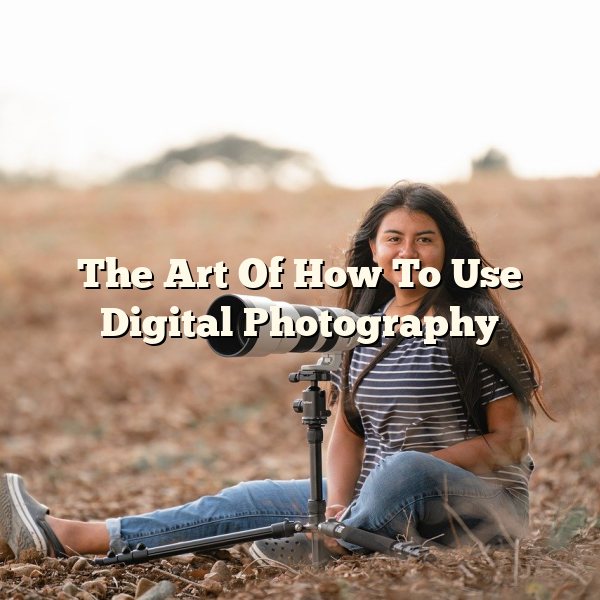
For beginners, photography can feel intimidating at first. Modern cameras, editing software, and the sheer volume of advice online can be overwhelming. A practical way forward is to focus on a few core principles, practice them consistently, and review your results with intention. The guidance below will help you build technical confidence, develop your personal style, and identify the next areas to study.
A digital SLR (DSLR) can accelerate your progress because it offers full manual control, interchangeable lenses, and dependable performance in varied lighting. Many photographers prefer a full-frame DSLR for its larger sensor, improved low-light capability, and greater potential for fine detail. However, an APS-C DSLR (or a modern mirrorless camera) can also produce excellent images, especially when paired with a quality lens and good technique. The most important step is choosing a camera you will carry often and learn thoroughly.
TIP! Be deliberate about what appears in the frame. A strong photograph functions like a small window into a specific aspect of your subject; remove distractions and keep only what supports the story you intend to tell.
Foundations: Subject, Composition, and Perspective
Get close to your subject whenever it strengthens the message of the photo. Many disappointing images fail because the subject is too small in the frame, making the viewer unsure what to focus on. If you cannot physically move closer, use a longer focal length or crop thoughtfully in post-processing. Aim for clear subject dominance, especially in documentary and travel photography where backgrounds can become visually busy.
Capture multiple perspectives by changing your angle and position. Photographing from above can simplify patterns and emphasize shapes; shooting from a low angle can make subjects appear larger and more dramatic. Moving a step or two to the left or right can remove distracting objects from behind the subject. As a practical exercise, photograph the same scene from five different positions and compare how the mood and emphasis change.
Experiment with your camera settings and composition choices to create variety. Your subject does not need to be unusual for your photo to feel distinctive; perspective, light, timing, and framing can make everyday objects compelling. Try changing one variable at a time—aperture, shutter speed, focal length, or viewpoint—so you can clearly see what each adjustment does. Reviewing your images afterward and noting what worked will help you refine your style faster than shooting randomly.
Depth and Background Control: Landscapes and Portraits
When photographing landscapes, intentionally create a sense of depth. Place familiar objects—such as rocks, a person, a fence, or a tree—in the foreground to help viewers gauge scale and distance. To keep both foreground and background acceptably sharp, use a smaller aperture (a higher f-number) such as f/8 to f/16, depending on your lens and the amount of depth you need. For maximum clarity, stabilize the camera with a tripod when using slower shutter speeds, and consider using a low ISO to reduce noise.
For portraits, a slightly blurred background often keeps attention on the subject. If the background is as sharp as the person, the viewer’s eye may drift away from the face and expression. Increase background blur by moving your subject farther from the background, stepping closer to the subject, and selecting a wider aperture (for example, f/1.8 to f/4). If your lens allows it, zooming in (using a longer focal length) can also produce a smoother background separation.
Choosing Gear and Building a Practical Workflow
TIP! Producing images that compete with professional work often requires a camera with advanced controls and strong optics. A DSLR is a reliable choice when you want many features, excellent image quality, and long-term flexibility. That said, investing in a high-quality lens frequently improves results more than upgrading the camera body alone.
Consider joining a photography group, participating in a local photo walk, or teaming up with someone who shares your interests. Learning alongside others can provide helpful feedback, fresh ideas, and motivation to keep practicing. Use comparisons constructively: study how different photographers interpret the same subject through framing, timing, and exposure choices, while still protecting your own creative preferences rather than copying someone else’s style.
If you appreciate the nostalgic character of film photography and want to experience the process, a second-hand film camera can be a rewarding addition to your practice. Black-and-white film around ISO 200 is versatile for many lighting situations and often produces pleasing grain and tonal range. After developing, consider making prints on different types of paper, including fiber-based options, to compare texture, contrast, and archival qualities. Keeping notes about film stock, lighting, and exposure settings will make future rolls more predictable and successful.
Preparing for Important Sessions and Events
A useful way to warm up before photographing a wedding—or any important event—is to capture detailed shots of small objects. Photograph rings, invitations, floral arrangements, table settings, shoes, or other personal items in window light to practice exposure and focus while building a visual narrative. These detail images can become meaningful additions to the final collection and help you settle into a calm, attentive shooting rhythm.
Shutter Speed and Motion Control
TIP! Learn how shutter speed affects motion. Faster shutter speeds (for example, 1/500s and above) can freeze action, while slower speeds (such as 1/15s) can intentionally blur movement for creative effect. Many cameras include modes such as S (Shutter Priority), A (Aperture Priority), M (Manual), and P (Program) to help you control exposure efficiently.
Autofocus and Image Quality
TIP! Keep your batteries fully charged so you do not miss a fleeting moment. Cameras that rely heavily on an LCD screen, image stabilization, continuous autofocus, or Wi-Fi/Bluetooth features can drain power quickly, so check the battery level before a session and consider carrying a fully charged spare. In cold weather, store spare batteries in an inner pocket to reduce performance loss.
Autofocus (AF) is designed to identify a target and bring it into sharp focus, but it can be confused by certain subjects and lighting. In many automatic modes, the camera attempts to focus on the most prominent contrast or the nearest object within the active AF area. Very bright clothing—especially pure white—can appear featureless, reflect light, and reduce usable detail. This may lead to blown highlights or a “washed out” look, particularly when the camera also adjusts exposure automatically to compensate for the bright area.
Rather than avoiding white entirely, manage it intentionally. If your subject is wearing white, try these practical adjustments:
- Choose a specific AF mode: Use single-point AF to place the focus point on a detailed area (eyes, eyelashes, hairline, or textured fabric) instead of letting the camera select the focus target.
- Watch exposure: Check the histogram and highlight warnings (“blinkies”) to confirm you are not clipping detail. Consider applying exposure compensation (often −0.3 to −1.0 EV in bright scenes) when large white areas dominate the frame.
- Use metering deliberately: Spot or center-weighted metering can help when the background is much darker or brighter than the subject.
- Improve focus acquisition: Add contrast by changing your angle, introducing more textured elements into the focus area, or using a focus-assist lamp when appropriate.
Also consider how autofocus behaves in common situations. Low light, glossy surfaces, moving subjects, and foreground clutter (such as branches or fence lines) can cause the lens to “hunt.” For action, switch to continuous AF and use a faster shutter speed; for portraits, use face/eye detection if your camera offers it, but verify results at 100% zoom to ensure the eyes are truly sharp.
Image-quality settings matter just as much as focus. Lowering resolution or increasing compression to store more photos may be convenient, but it discards detail and reduces editing flexibility. This loss becomes especially noticeable when printing, cropping, or viewing on larger screens. As a general rule, capture at the highest quality your workflow allows:
- Use RAW (or RAW+JPEG) when possible: RAW files preserve more highlight and shadow detail, which is helpful when white clothing or bright backgrounds risk clipping. Many manufacturers describe these advantages in their imaging guides, such as Adobe’s explanation of RAW vs. JPEG.
- Set JPEG quality to “Fine” and keep full resolution: If you must shoot JPEG only, use the least compression to avoid artifacts in skin tones and smooth gradients.
- Match settings to the output: Smaller files may be acceptable for quick web sharing, but retain high-quality originals for archiving and future use.
Strong results come from small, repeatable habits: arrive with charged batteries, select an AF mode that matches the scene, confirm exposure with your histogram, and shoot at a quality level that supports your intended display or print size. Review the images after critical moments—especially portraits and fast action—so you can correct focus or exposure before the opportunity passes.