Top Small Business Tools for Workflow Management
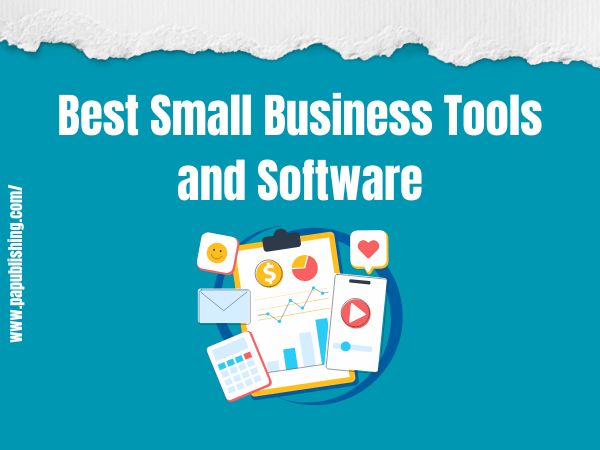
Best Small Business Tools and Software (By Category)
Running a small business in 2026 isn’t easy; you’ll have to juggle customer management, marketing, sales, and accounting. Manually doing everything can lead to errors, delays, and unsatisfied customers. So to avoid these challenges, you should invest in reliable small business tools that fit your budget and automate workflows. Need suggestions? Continue reading!
Best Project Management Tools for Small Teams

Nowadays, many small businesses are investing in project management tools, and the market size is expected to reach USD 40.12 billion by 2033. Here are some top options that you can explore in this regard:
Monday.com
Monday.com is an incredible project management software that helps you manage your tasks, projects, and processes efficiently. It offers no-code automation and colorful templates, and it is suitable for beginners.
Rows, columns, task cards, and timelines are easily distinguishable, and the overall interface is visually appealing. There’s a mobile application for both iOS and Android users so you can manage and track projects even when outside the office.
Key Features
- Works for all predictive methodologies, including waterfall, critical chain project management, and agile frameworks such as Scrum, Kanban, DSDM, and XP.
- Collaborative documents (workdocs) let multiple team members collaborate on a project in real time.
- Offers over 200 integrations with leading software such as Microsoft Teams, Slack, Google Drive, Docusign, Gmail, and Outlook.
Zoho Projects
Zoho Projects is a small business tool that lets you manage projects, create tasks, and build reports in a single place. It has a layered structure with project groups, projects, phases, task lists, tasks, and subtasks.
The issue tracking feature of this platform enables you to associate issues with any task, assign users, and set up reminders. You can also use the resource utilization feature to understand which resources are overused or underused for maximum productivity.
Key Features
- Intuitive Gantt charts that visualize timelines and dependencies.
- Project Feed, where team members can share files, updates, and comments on a project in real-time.
- Using Blueprints, teams can define custom approval steps, triggers, and transition tasks, eliminating the need for manual changes.
Quire
If you are a growing small business, you should invest in Quire for smooth project management. It follows a hierarchical approach, breaking down complex projects into smaller, manageable tasks to enable quicker completion.
There’s a Kanban-style board that offers a visually appealing view of your tasks. You can assign due dates and reminders so no one in the team misses out on important projects.
Key Features
- Rearrange tasks using the drag and drop interface for clear planning and execution.
- Set priority tasks so that team members focus first on urgent activities.
- Multi-language support and integration with Google Drive, Slack, and Zapier.
Top Accounting Software for Small Business Owners review
Do you know 58% of businesses use accounting software to meet the needs of their clients? Not only this, but 58% of accountants said technology has improved efficiency and productivity. If you also want to automate your accounting tasks, here are the small business tools you can use:
Kashoo
Kashoo is cloud-based accounting software designed to assist small business owners and freelancers. It handles double-entry accounting, allowing you to enter both credit and debit card information on the same screen.
It’s beginner-friendly, records payroll deductions, and prints traditional paper paychecks. The cherry on the cake is the platform’s support: there are pop-up boxes that explain each key feature, and a chat feature where you can ask your questions.
Key Features
- Expense management for tracking and categorization of business resources.
- Detailed financial reporting, including profit and loss statements.
- Integrates with other essential services like Google Workspace, FreshBooks, 1Password, Stripe Payments, Square Point of Sale, and SurePayroll.
Xero
Xero is a budget-friendly SaaS accounting software made by a New Zealand-based company. It allows you to manually code and make payments for payables that don’t require a traditional invoice.
You can set up your business credit cards, view all transactions and cash flow, and manage them via a comprehensive dashboard. This small business tool also handles bank reconciliation, invoicing, and expense tracking.
Key Features
- Learn your spending patterns for automated bank reconciliation and payments.
- Multi-currency support across 160+ currencies.
- The inventory tracking option provides automatic stock updates on invoices and POS devices.
FreshBooks
If you want a detailed overview of your business’s financial health, you should invest in this small business tool. FreshBooks is quite easy to use, and you can generate invoices and reports without any hassle.
The dashboard provides you with an overview of your monthly business income, expenses, and outstanding invoices. You can spot cash flow issues early on and have a far less stressful tax preparation.
Key Features
- Customizable invoicing templates to create professional payment slips.
- Set up recurring invoices and payment reminders, and accept payments through different methods.
- Financial reports showing profit, loss, expenses, and tax summaries.
Best Email Marketing Platforms Compared review

64% of small businesses use email marketing, and email offers one of the highest returns on investment of any marketing channel. Many studies show an average of $36 is earned for every $1 spent. So if you want to invest in small business tools for efficient email marketing, the following are the right options:
Omnisend
Omnisend is actually an email and SMS marketing platform designed for small e-commerce businesses. You can use it to build an email list and capture customer signups via forms or pop-ups to create a leads list.
It also sets up automated campaigns, whether it’s a welcome message or an order confirmation email. The goal is to ensure you avoid common small-business challenges, such as cart abandonment and low customer engagement.
Key Features
- The free plan lets you send up to 500 emails to 250 contacts per month.
- Product Picker capability that directly pulls product data from Shopify or BigCommerce and right into your emails.
- Drag-and-drop email editor for making changes to any message right away.
ActiveCampaign
ActiveCampaign is an email marketing small business tool that also helps manage customer relationships. The platform boosts an impressive library of newsletter templates that will leave your audience hooked. With the drag and drop email builder, you can add different content blocks in the email and CTAs, success metrics, and images.
Key Features
- Over 250 custom templates for B2B, B2C, and e-commerce audiences.
- Build automated email workflows within minutes to ensure every lead is captured and engaged.
- Split testing to analyze which email copy performs best and offer the desired results before final launch.
Mailchimp
Want to create stunning emails that capture and convert leads for your small business? Mailchimp is the right choice. No coding is required; just use the drag-and-drop email builder to add text, images, and buttons to your message. You can then set emails to be sent automatically when a specific action is triggered, such as a new subscriber or an abandoned shopping cart.
Key Features
- Allows you to divide customers into smaller groups or segments based on age, interests, and geographic area to personalize.
- Detailed analytics on how well your emails are doing, including clicks, open rate, and number of unsubscribes.
- Easily integrates with WordPress, Shopify, and social media platforms like Facebook and Instagram.
Free vs Paid Business Tools: When to Upgrade
When it comes to top-quality small business tools, some options will be free, and some will be premium. Analyze your needs to make sure you invest in the right ones and don’t risk your budget. Need recommendations? Here are some free and paid tools your business might need:
Free Tools
Google Analytics
Google Analytics, as the name implies, is a web analytics tool developed by Google that lets you track traffic and overall user behavior. This small business tool was launched back in 2005 and helped businesses in tweaking their website content and marketing efforts to maximize engagement. You can use it to understand where your customers are coming from. Which area do they belong to? How many are converting?
Key Features
- GA4 provides predictive metrics such as churn rate and high-value customers.
- Offers a unified user journey report by tracking users across websites and mobile applications.
- Segment and analyze the audience by behavior, demographics, and interests.
Trello
If you don’t want to explore any of the expensive project management small business tools, Trello has your back. It’s a free project management tool that organises and manages all your tasks. Featuring Kanban Boards, it can be used to create cards for each project that you can move through various stages: Backlog, In Progress, and Completed.
Key Features
- The Smooth filter option lets you sort cards by labels and due dates for efficient tracking.
- One Power Up per board for free users, like Slack and Google Drive, to enhance functionality.
- Rule-based triggers automatically move the cards to Completed when a project is complete.
Paid Tools
SEMrush
When you decide to invest money in a small business tool, make sure it’s as versatile as SEMrush. It’s a one-stop solution for your marketing, SEO, and social media management needs.
You can rely on it to analyze competitors, find the most effective keywords, and conduct site audits to pinpoint technical errors. In addition, it helps you generate content ideas and create SEO-optimized content that ranks well in search results.
Key Features
- Position tracking to analyze the effectiveness of your keywords both locally and nationally.
- Keyword Magic Tool to identify relevant, niche-specific phrases that your customers are using.
- Content marketing and backlinks analysis to get quality links for your content.
Zapier
Zapier is an amazing automation platform that connects your favorite web applications and services. It’s utilized to create Zaps, automated workflows that trigger one or more actions. Overall, it’s no-code, easy to use, and offers ready-to-use templates for beginners, saving you time.
Key Features
- Team Collaboration feature so multiple groups and team members can work together on different Zaps.
- Integrates with over 7,000 applications to streamline repetitive tasks.
- Offers Filters so that a Zap runs only when a specific condition is met.
AI Tools That Actually Save Small Business Owners Time
“AI is going to take over the world? No, AI has already taken over the world.” Statistics show that 93% of small businesses using AI plan to continue investing in it over the next year, and 62% report they will increase AI-related spending. So, as a small business owner, you shouldn’t hesitate to leverage AI to enhance your productivity. The following are some popular AI software options:
ChatGPT
ChatGPT is a Generative AI chatbot developed by OpenAI that understands and generates human-like text. It’s a virtual assistant that lets you create engaging content, automate mundane tasks, and analyze data.
Key Features
- Create email newsletters, social media posts, and blog posts quickly.
- Gives a list of niche-specific keywords and content ideas.
- A chatbot can be used to offer 24/7 customer service to end customers.
Canva Magic Studio
It’s an AI-powered design and content creation small business tool, present directly in Canva. What truly makes it stand out is its ability to simplify video editing and graphic design even for a layman. All you have to do is enter a text prompt or photo to get custom templates for presentation, posters, and social media posts.
Key Features
- Instantly converts a single design into different sizes and formats for multi-platform compatibility.
- Translates content into over 100 languages to increase your content reach.
- Removes, adds, or replaces elements in a photo using simple AI-powered brushes.
Zendesk AI
Zendes AI is a comprehensive small business tool that wraps automation and Generative AI into it to help you resolve customer issues faster. Use it to provide 24/7 assistance to end customers without needing a large team.
Key Features
- Instantly analyze incoming messages for intent, sentiment, and language to automatically route to the right agent.
- Provide actionable insights into overall performance to improve the quality of issue resolution.
- A sidebar assistant for agents that guides them on answers and actions based on queries.
How to Choose the Right Small Business Tools?
To choose the right small business tools, you must consider your needs, budget, security features, and integration potential. Let’s discuss these points in detail:
Business Needs
Start by understanding your business’s key needs and pain points. What are the processes and workflows that keep your business running smoothly? Are there any inefficiencies that can be handled with modern small business tools?
For instance, if your projects are continuously delayed, invest in a good project management tool. Similarly, if your team is struggling with finances, accounting software can ease things up.
Budget
While it can be exciting to invest in the fanciest, highly functional small-business tool, don’t give in to the urge; always balance cost with performance. Find out your budget early on and invest in technology that will have the most impact on your business. Also, don’t go for cheap options, or you’ll end up spending more money and getting headaches down the road.
Scalability
Indeed, you start small, but with the right strategy, your small business will definitely boom. Therefore, invest in tools that scale with your business’s growing needs. Look for features like customizable workflows, the ability to add new users, and reliable reporting tools.
Integrations
If you want the new technology not to eat up your maximum small business budget, make sure it integrates with the existing setup. For instance, if you use MYOB for accounting, you should invest in a CRM or POS system compatible with MYOB. This prevents data silos, so information flows smoothly between systems.
Benefits of Investing in Small Business Tools
Now that you are aware of the many small business tools, let’s discuss the benefits they offer:
- Increased Productivity: Automation tools reduce manual tasks, so your team can focus on customer relations and product quality, achieving more than the headcount.
- Better Collaboration: Project management tools provide team members with a space to share files and updates, enhancing communication and collaboration.
- Improved Data Management: Many all-in-one small business tools collect your customer data and financial analytics, ensuring you get a detailed view of your business health without any hassle.
- Lower Operating Costs: With small business tools, you can automate bookkeeping and content creation, saving money on employee costs and costly mistakes.
FAQs
What are the most important small business tools?
The most important small business tools include accounting, CRM, project management, communication, and marketing.
How much do small business tools cost?
Small business tools vary widely in cost, with some offering free plans and premium plans ranging from $10 to several hundred dollars.
Are free business tools worth using?
Yes, some free tools provide enough features for a small business or startup, and as your business grows, you can opt for a premium subscription.
Is cloud-based software better than desktop-based software?
Yes, cloud-based software is better than desktop-based options because it offers remote access, automatic updates, and easier collaboration.
Are small business tools secure?
Yes, many small business tools are secure, offering data encryption, access controls, and backups, enhancing customers’ trust.
Conclusion
Small business tools may seem a bit costly at first, but they save your business money down the road. You can start with free options and invest in premium software as your business grows. This way, you won’t run out of resources and stay competitive.